
Maya HTT gets rewarded for its hard work with an award from Siemens
Maya HTT gets rewarded for its hard work with an award from Siemens at the annual partner conference!
How to optimize a laminate in Simcenter
Quick Overview Simcenter Laminate Composites (LC) allows you to optimize the fundamental properties of a laminate coupon- for example, increasing its modulus in the X direction, minimizing its mass or its thermal expansion- by modifying ply angles, ply thickness, ply...
Maya HTT Selected by Spike Aerospace to help develop the first Supersonic Business Jet
July 11 2016 – Maya HTT Inc. is pleased to announce that it will provide support to Spike Aerospace Inc. to help develop the world’s first supersonic business jet and its digital twin. The complexity of delivering a Supersonic Jet like Spike S-512...
Quickly Determine Laminate Coupon Test Loads using NX Laminate Composites
Demo Video: Quick Overview NX Laminate Composites (NXLC) allows you to easily define laminates, assign them to 2D or 3D meshes of complex geometries, and post-process composite failure metrics. For simple parts like test coupons, creating a FEM is not required, as...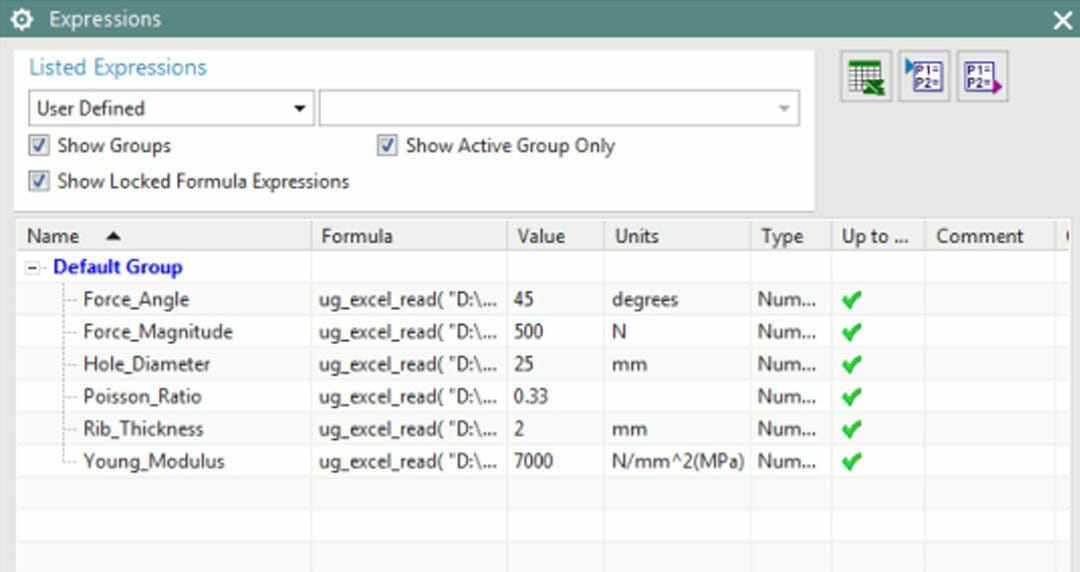
How to drive NX expressions from a spreadsheet
Tips and tricks for easily updating your FEM using NX expressions Discover a quick and painless way to update your finite element model (FEM). With NX expressions, you can define all your required parameters in one spreadsheet, and then update the FEM with a single...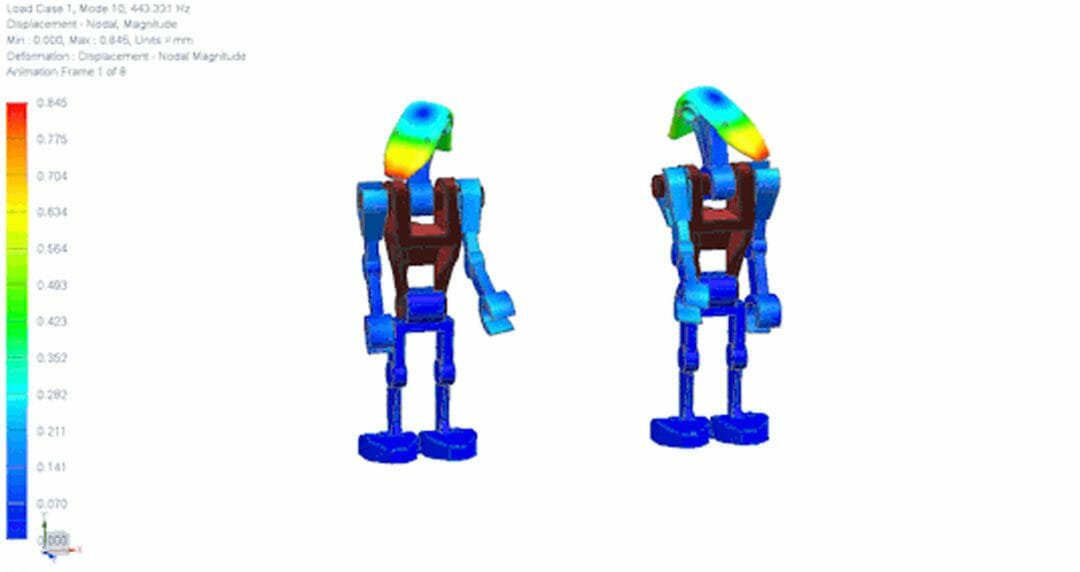
Polygon Bodies and Mirroring in NX Post
Description This Tips & Trick shows how to display polygon bodies together with results in the NX post-processor. It also shows how to activate Mirror Display. We will explore these functionalities on a Battle Droid model, on which a modal analysis was performed....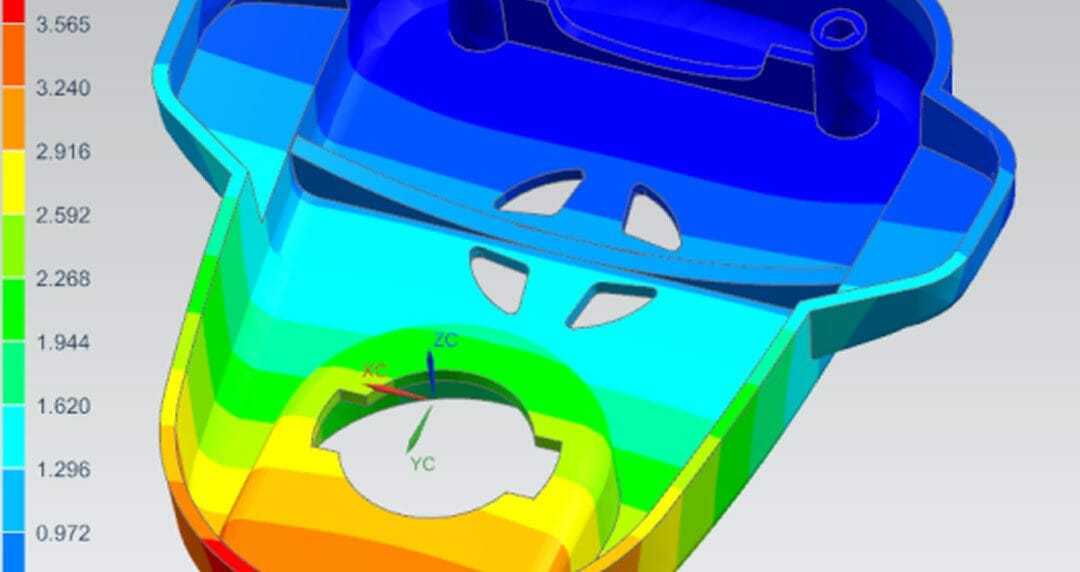
Accommodating 3rd Party CAD Design Changes without Simulation Model Re-Work
Demo Video Associative 3rd Party CAD Geometry A common limitation when accessing CAD data from a CAE tool is the inability to support design changes with automated updates of the idealized CAE geometry, mesh, loads, and constraints. The idealized CAE geometry must be...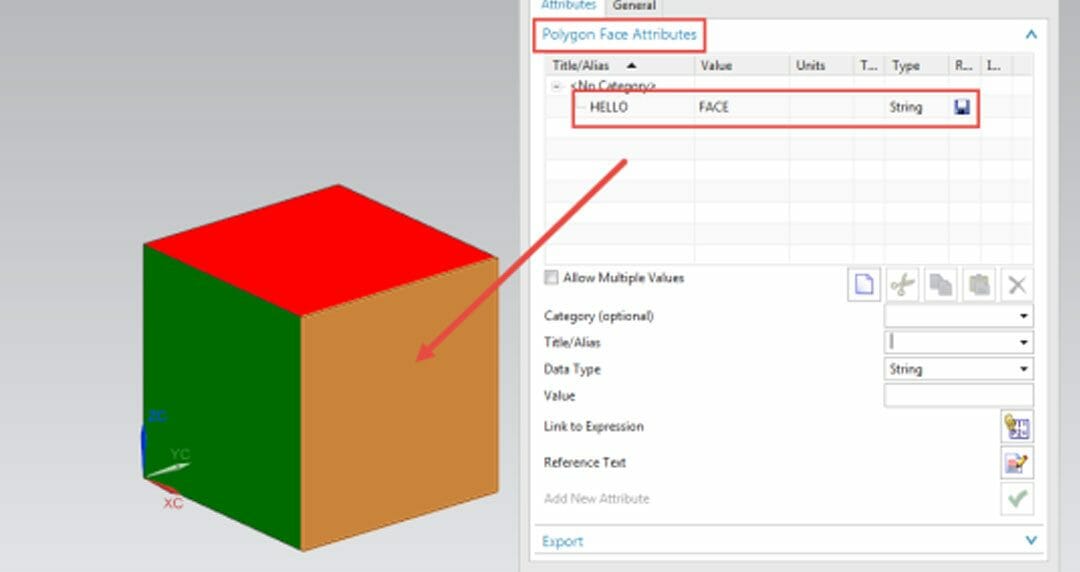
Mapping Polygon Faces to CAD Faces within a NXOpen framework
Quick Overview This Tips & Trick shows how to map Polygon Faces (i.e., CAE faces) to CAD Faces. Given a CAD Face in the Modeling application, what is its corresponding CAE Face in the Advanced Simulation application ? Core content How to find the corresponding CAE...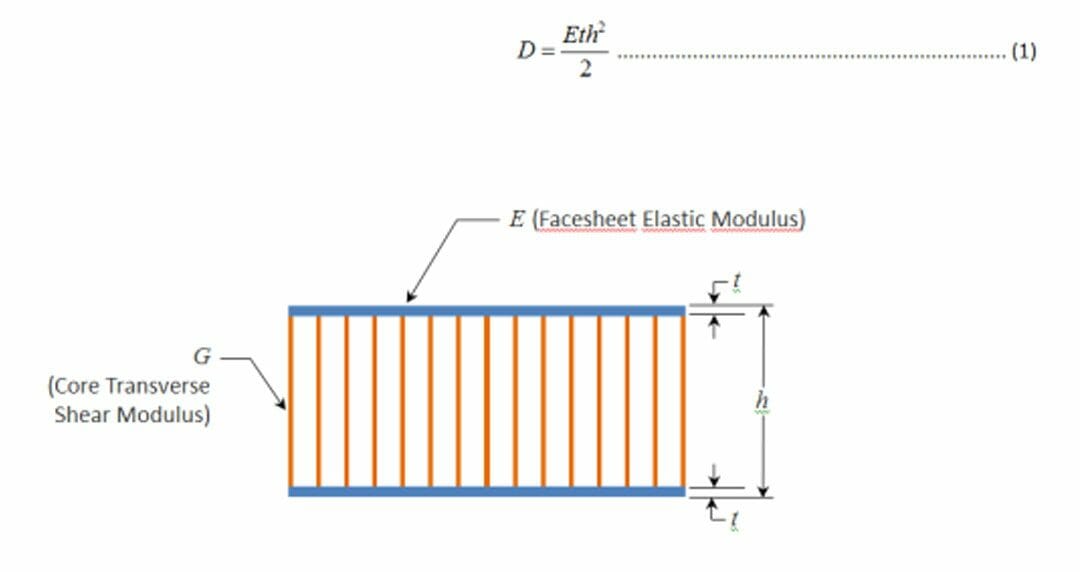
How to optimize the stiffness of sandwich structures
Finding optimal rigidity One common misunderstanding about sandwich structures leads many designers to overestimate overall stiffness or to stiffen sandwich structures in a less than optimal fashion. In this article, we expose the true behavior of sandwich structures...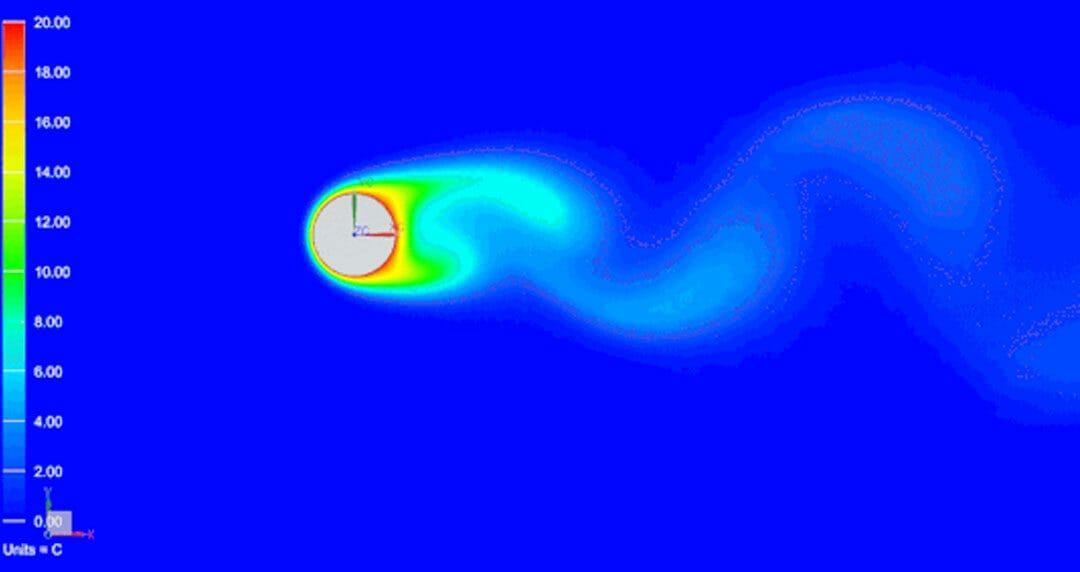
Flow-induced vibrations
Author: Zouya Zarei Zouya is a Thermal Flow Application Engineer at MAYA Heat Transfer Technologies based in Montreal, Quebec, Canada. He has long fostered a fascination with fluid dynamics, which ultimately led to higher studies in computational fluid dynamics. He...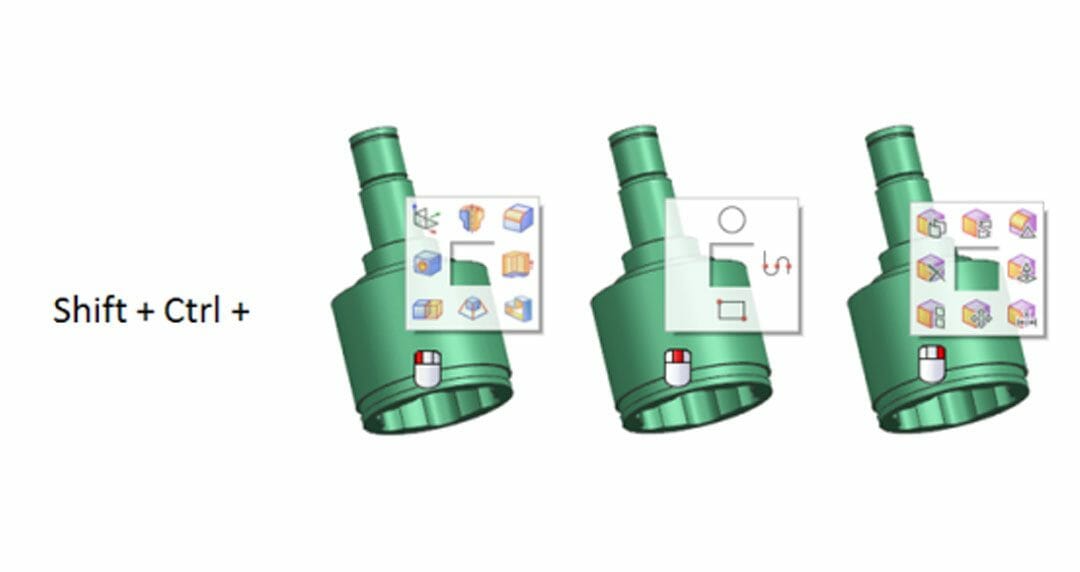
NX Customization – Easy steps to improve productivity
Quick Overview When assembling parts, creating and editing meshes and setting-up simulations, NX tools are often used repetitively. Even though all tools are easily accessible via the top menu and ribbon bar, you can improve your productivity by customizing your...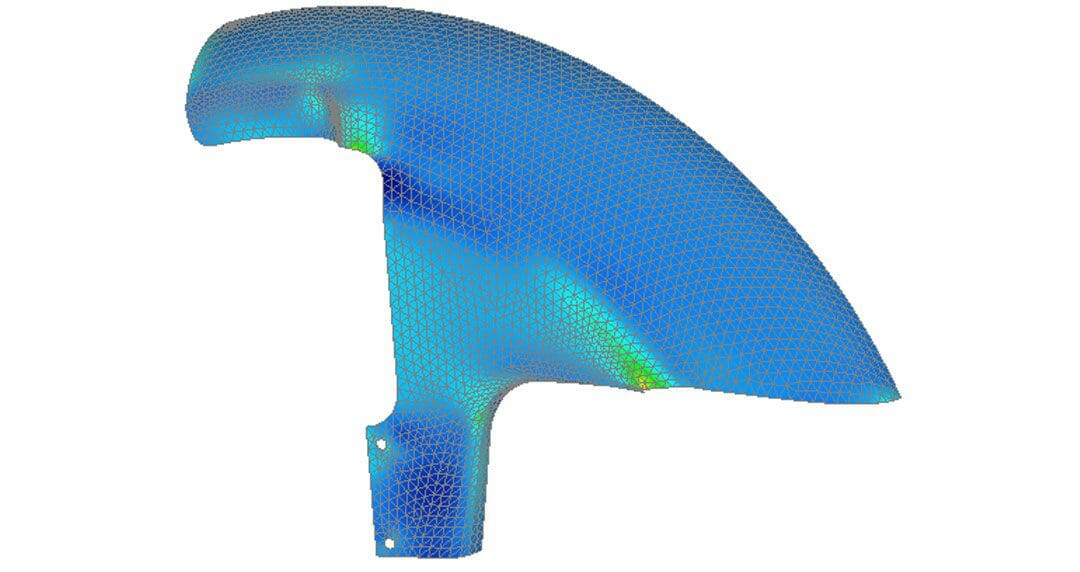
Efficient PostProcessing for Composites with Femap
Quick Overview This post-processing Tip & Trick will show how to efficiently use predefined Femap API and a customized toolbar for laminates. This example, created in Femap 11.22, shows a 2D laminate mudguard model. Figure 1 & Figure 2 are showing ply failure...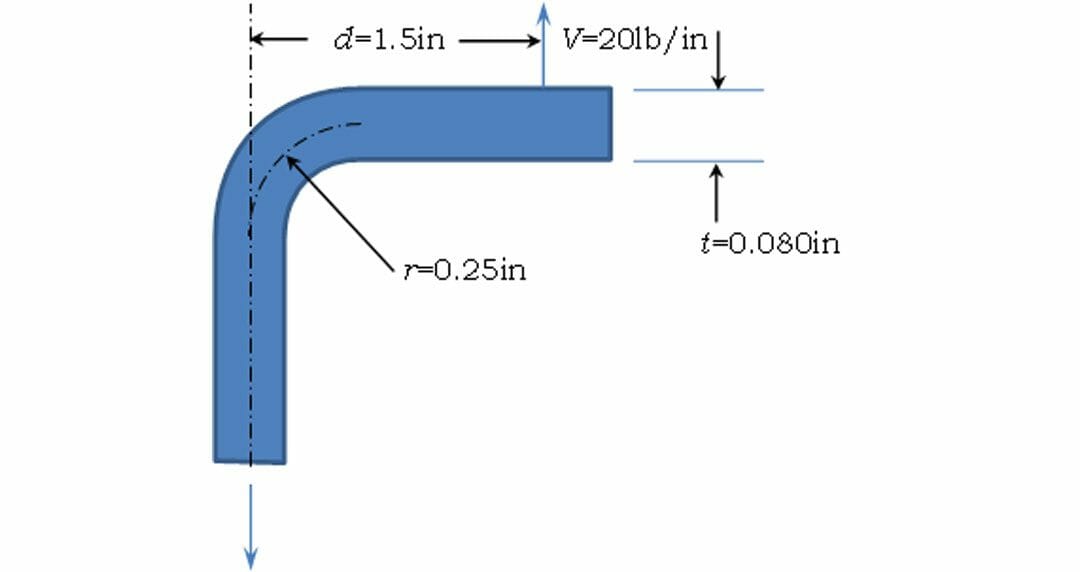
Delamination in a Composite Bend
Quick Overview This Tips & Trick shows how you can use the results from a coarse finite element simulation to assess potential delamination in a curved composite material. The main steps are: 1. Extract the appropriate grid point forces or element forces that are...
WatSat, a UoW student design team receives grant from Siemens Digital Industries Software and Maya HTT
WatSat to use the same technology in its designs that companies worldwide depend on to design some of today’s most sophisticated products MONTREAL, December 1st, 2015 – WatSat, a University of Waterloo student design team, today announced they received an...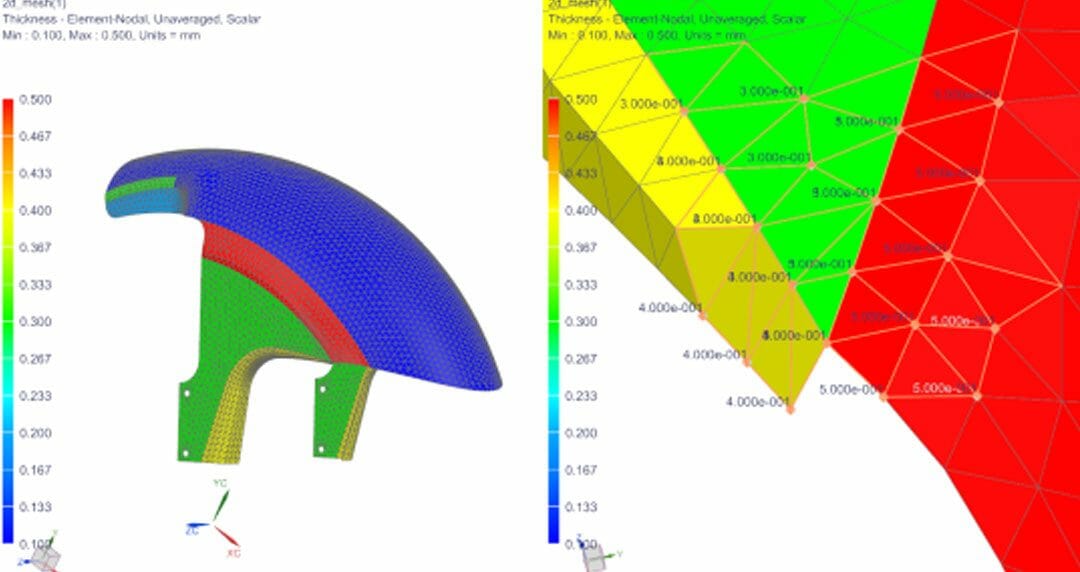
How to validate the distribution of 2D element thickness in NX
Quick Overview NX Advanced Simulation provides several methods to define the thickness of 2D elements, such as derived from a mid-surface, assigned through Element Associated Data or from a physical property table. It is helpful to validate the thickness definition...
Siemens Expands NX Simulation Solutions on Rescale’s On-demand Cloud Environment
Cost–effective, Scalable Model for Hardware and Simulation Software; Improves efficiency and product quality; accelerates time-to-market The simulation solutions within Siemens’ comprehensive NX™ software offering that perform thermal and fluid flow...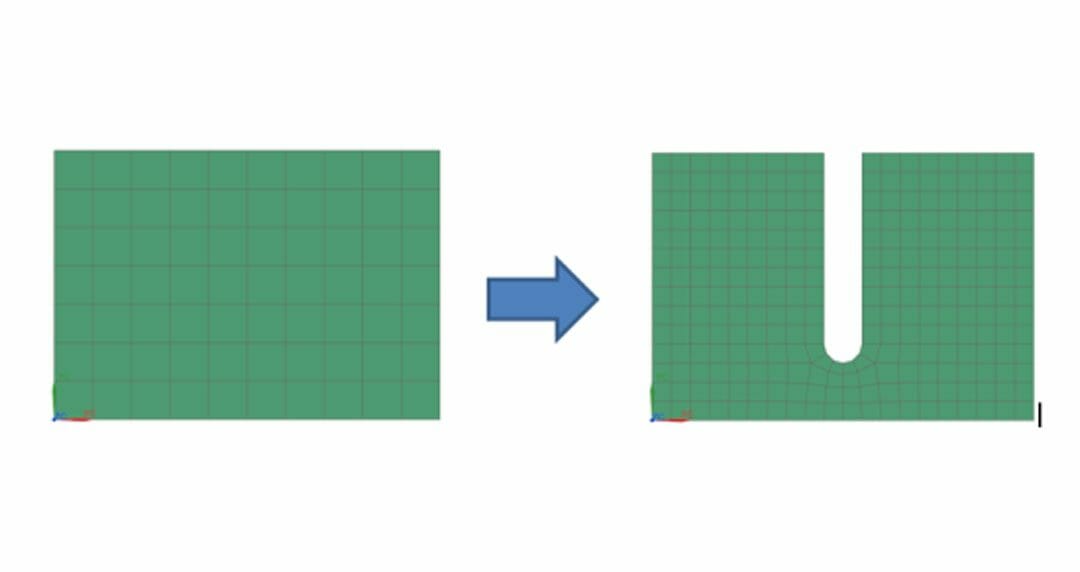
How to create NX CAD geometry from a FEM part
Quick OverviewThere are many situations that require modifying a feature in a FEM model, for example, changing the diameter of a hole, introducing a notch in a model, etc. However, all these changes require the CAD geometry to be available, which might not always be...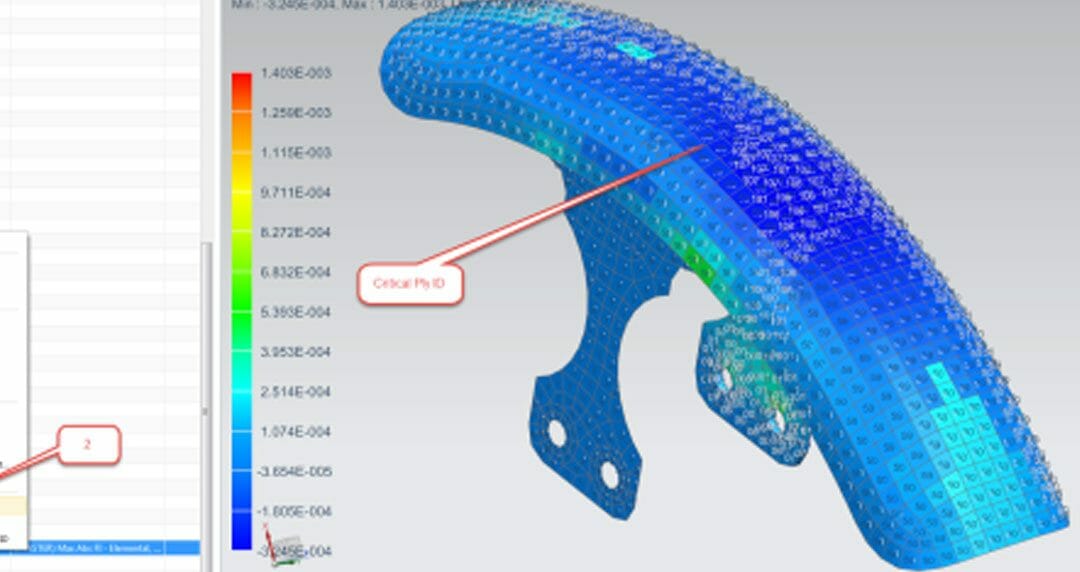
Display the critical ply ID and load case ID in laminate elements using NX Advanced Post Report
Quick Overview This Tips & Trick shows how you can overlay the critical ply ID and load case ID on laminate element contour plots using Advanced Post Report in NX Laminate Composites (NXLC). The critical ply ID and load case ID can be obtained for ply stresses,...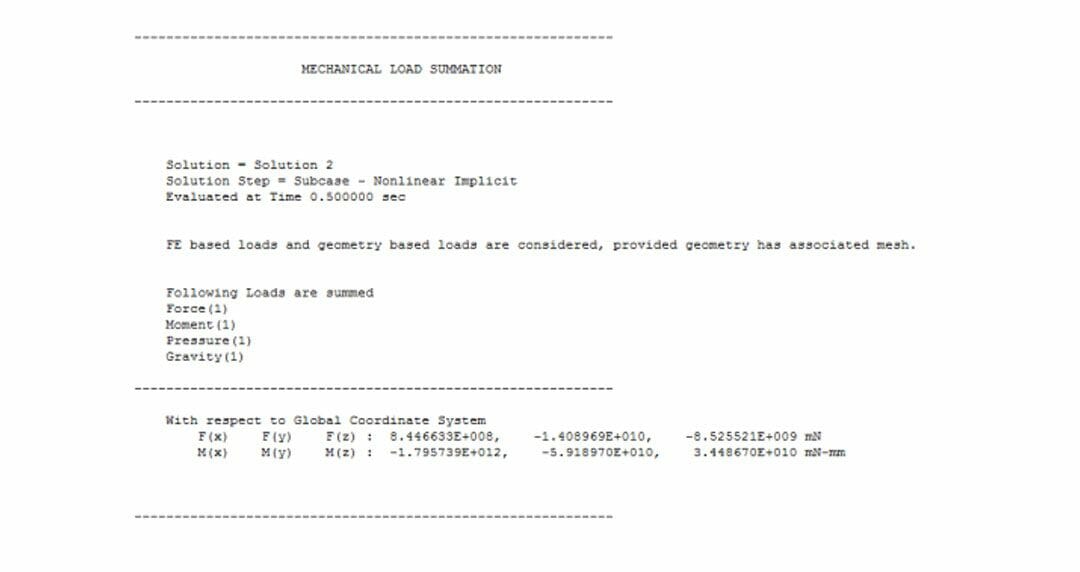
How to verify that loads are correctly applied to your NX model
Quick Overview This tips and Tricks shows how to use the Mechanical Load Summary command in NX to compute the total forces and moments for the active structural analysis solutions or sub cases. This command allows you to verify that you have correctly applied loads to...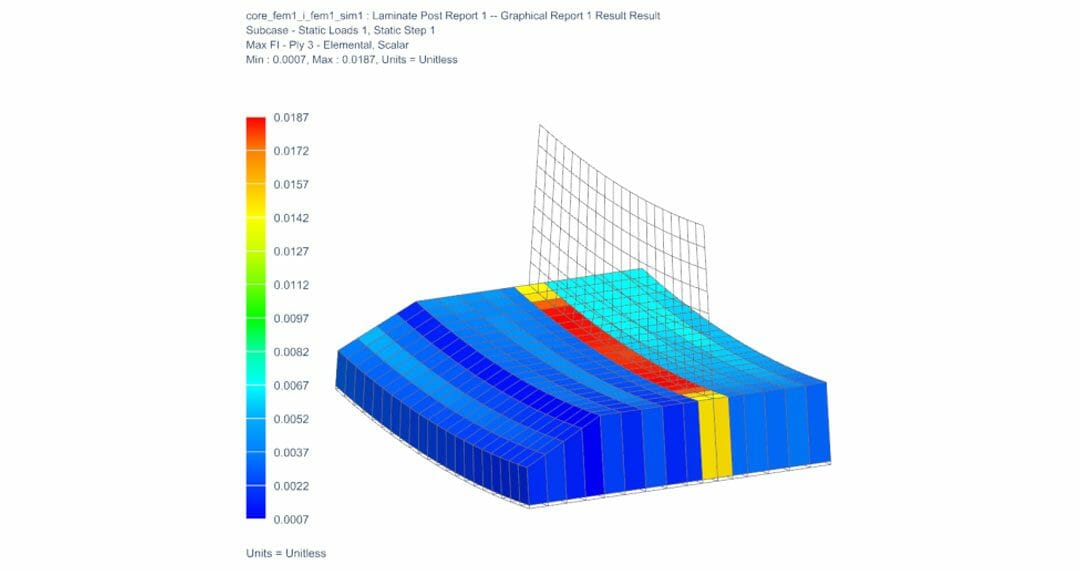
How to predict sandwich core shear failure using NX Laminate Composites
Quick Overview Sandwich panels are prevalent in many structural applications. The panel facesheets react the membrane and bending loads, whereas the core reacts the bulk of the transverse shear loads. For honeycomb cores, transverse shear failure can be critical....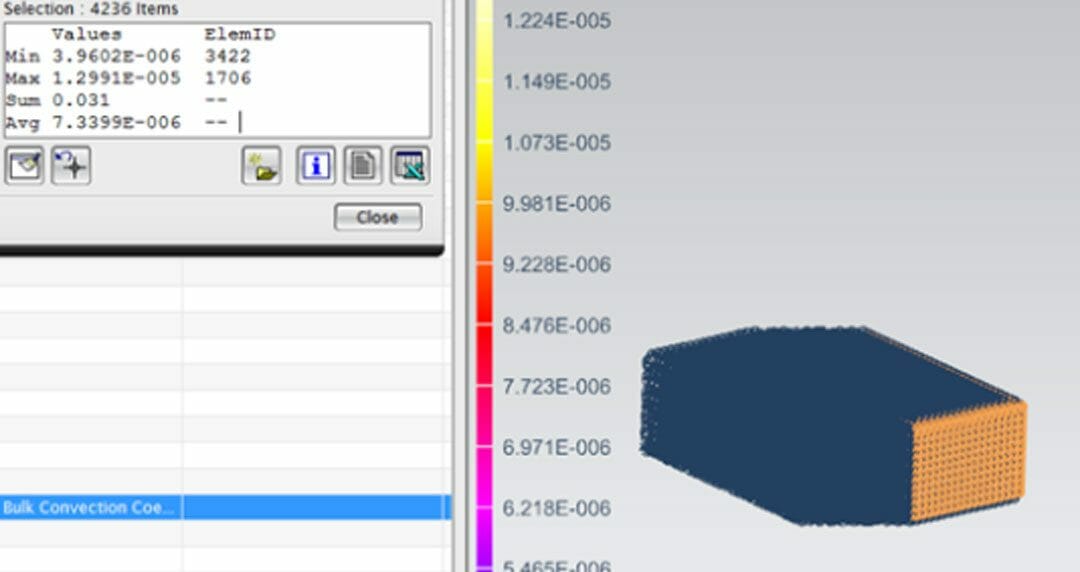
Reuse convection results from CFD in a detailed thermal analysis
Often, one conducts a CFD analysis of a system, taking into account fans, obstructions, multiple components and the surrounding environment. A great example is an electronics box with multiple printed circuit boards. However, components of the system-level model may...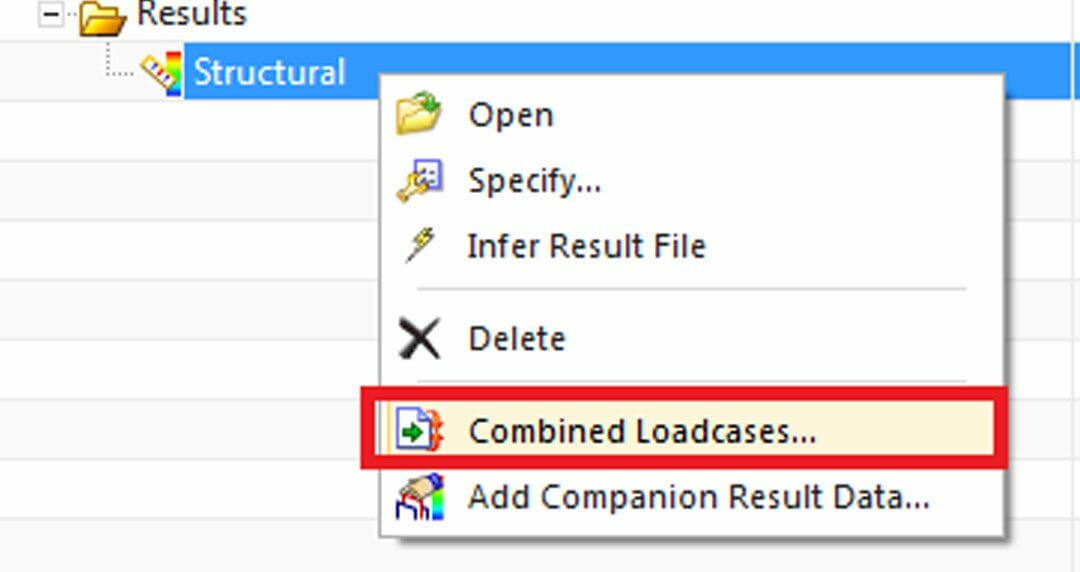
How to combine solved load cases in NX
Quick Overview This Tips & Trick shows how to use the Combined Load-cases functionality in NX, which allows you to create combinations of linear load case results, thereby avoiding the need to pre-define and solve all the required combinations. Core content...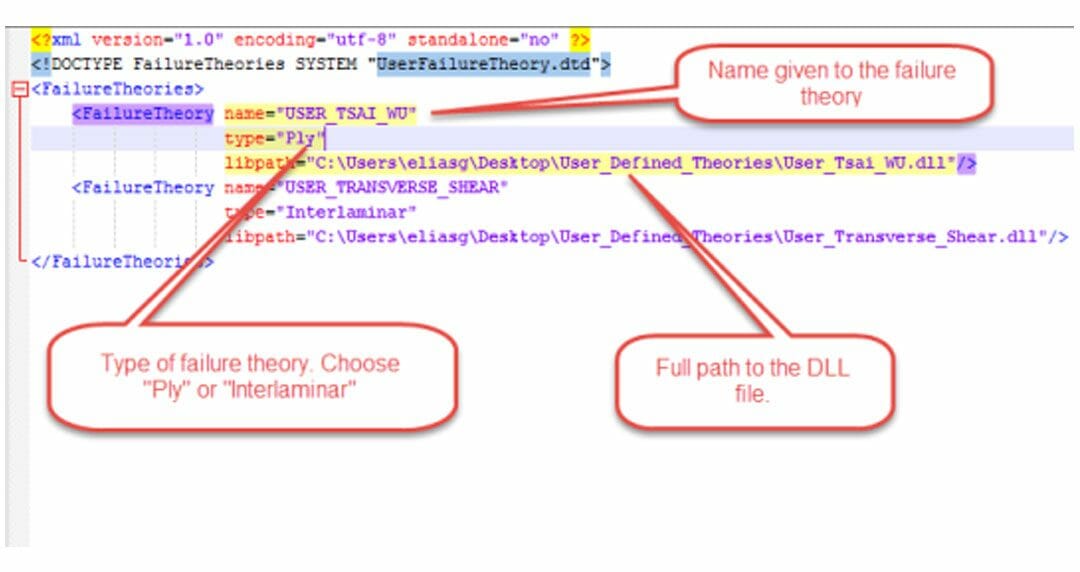
Add a user-defined failure theory in NX Laminate Composites
Quick Overview This Tips & Trick shows how you can define your own ply and interlaminar failure theories in NX Laminate Composites. The main steps are: Create and set a new project in Microsoft Visual Studio. Code the failure theory and build the corresponding...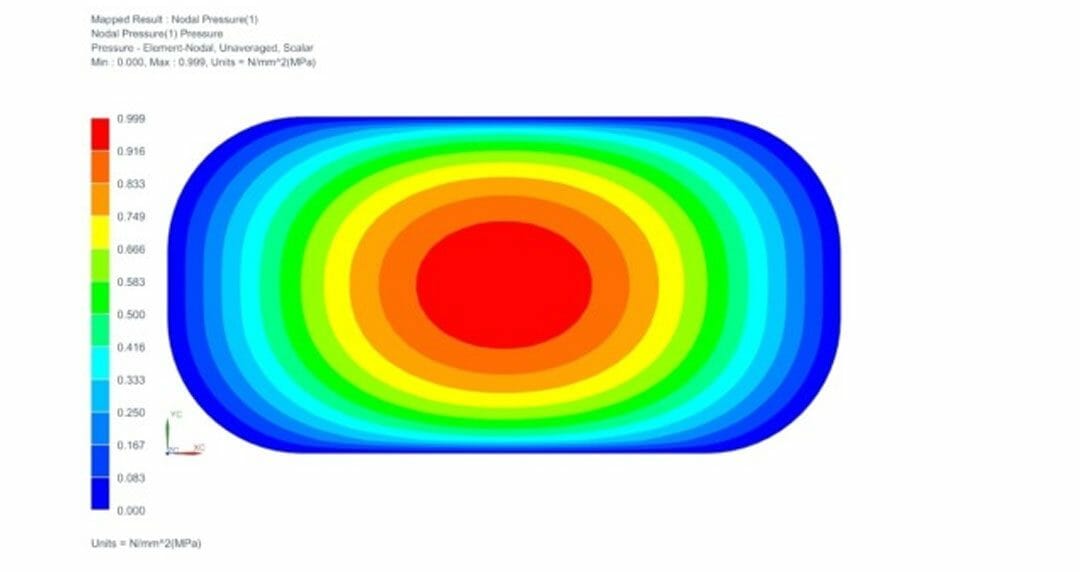
How to create a load field using ISO lines
Quick Overview This Tips & Trick shows how to use an NX formula field and face’s isolines to easily define a spatially-varying pressure load. Figure 1. Spatially-varying pressure load Core content Let’s assume that it is intended to define a pressure distribution...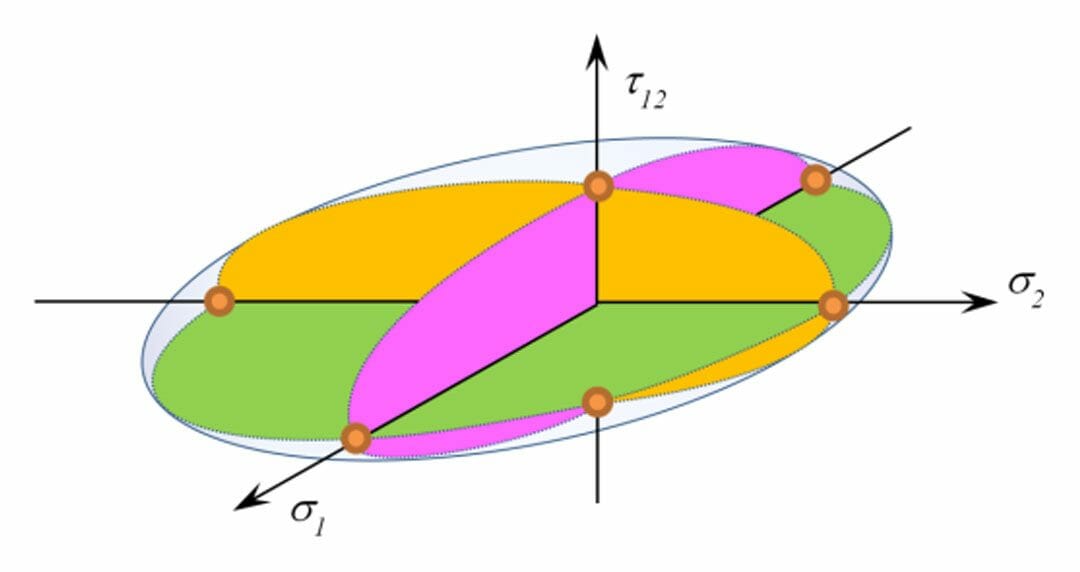
Failure index vs strength ratio in a quadratic failure criterion (composite materials)
How to know which one applies Understand the difference between the failure index and strength ratio, and how each should be applied when using composite material quadratic failure criteria. The relationship between failure and strength in uniaxial loading In a...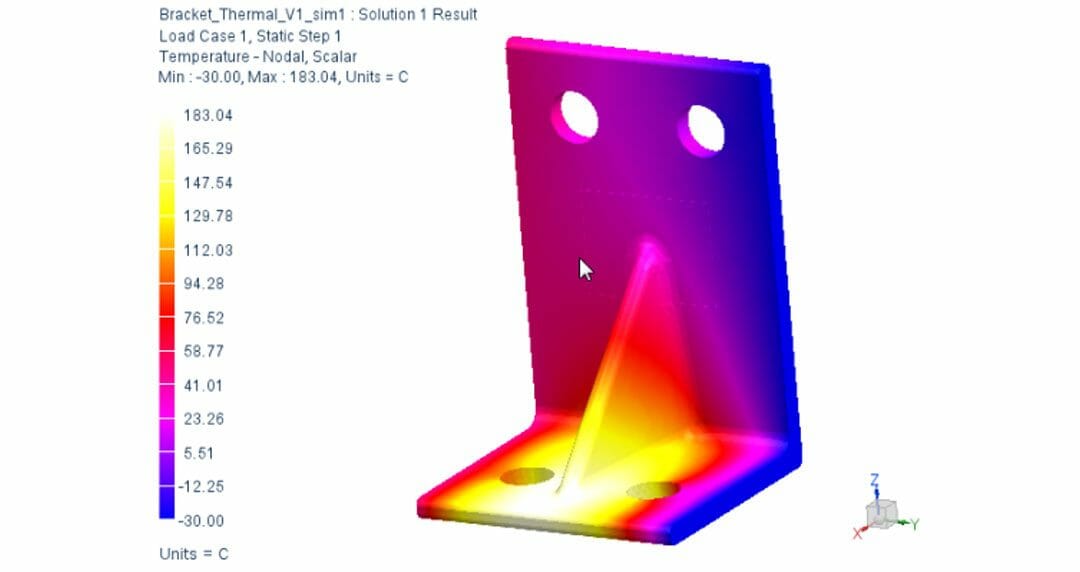
Using Thermal Results to Create Loads and Boundary Conditions in NX
Quick Overview This Tip & Trick shows how to use the results from a thermal simulation to create a temperature load in a structural simulation using fields. A contour of the resulting temperature load will be generated and compared to the thermal results. The...
Modeling a heat exchanger using a porous isotropic blockage and a negative heat load
Heat exchanger data: Heat rejected from fluid to heat exchanger = 96KW Cross sectional area in model = 1.946 m2 The Thickness (L) of the heat exchanger in the model is 0.214 m The following was obtained from the manufacturer of the heat exchanger: From the above...
Margin of Safety Calculation with Femap
Quick Overview This post-processing Tip & Trick will show how to calculate the stress margins of safety of a structure under a static pressure load, and then how to plot the margins and locate the critical areas of the part. This example, created in Femap 11.2,...
Maya HTT becomes a member of the electric vehicles Consortium Inno-vé
Global expert in numerical simulations for the world of engineering, Maya HTT becomes a member of the Consortium Inno -vee ( http://www.inno-ve.ca ) . The consortium’s mission is to support the development and funding of collaborative projects in pre-competitive...
Maya HTT & TM4 join their efforts for Google’s Little Box Challenge
Global expert in thermal simulations for electronic components, Maya HTT join their efforts with TM4, world leader in electric motors for the automotive industry as well as in the design of permanent magnet generators for wind and tidal sector, to participate in the...
Polytechnique de Montreal receives grant from Siemens Digital Industries Software and Maya HTT
Polytechnique will use the same technology in their designs for the The Canadian Satellite Design Challenge that companies worldwide depend on to design some of today’s most sophisticated products Ecole Polytechnique de Montreal today announced they received an...
Maya HTT signs a Channel Partner agreement with Rescale
MAYA Heat Transfer Technologies has recently signed a Channel Partner agreement with Rescale, a leading cloud simulation provider offering a high performance computing platform for engineering and scientific simulations. Under the agreement, MAYA will become a sales...