
 PCB Exchange Connect.
 PCB Exchange Connect
Collaborate closely on PCB design, using any – or no – MCAD, ECAD or CAE
solution and reduce design process time by 25%
PCB Exchange Connect is a Maya HTT authored product.
Collaborate across platforms
Visualize, query, compare, and measure PC boards and panels based on collaboration and manufacturing exchange formats from ECAD, MCAD, or directly from Teamcenter.
- Complement existing NX user PCB workflows
- Perform dynamic PCB validation and produce reports
- View graphical design history animations
- Allow other designers or analysts to access key engineering PCB parameters outside the CAx tool
- Deploy a personalized web application
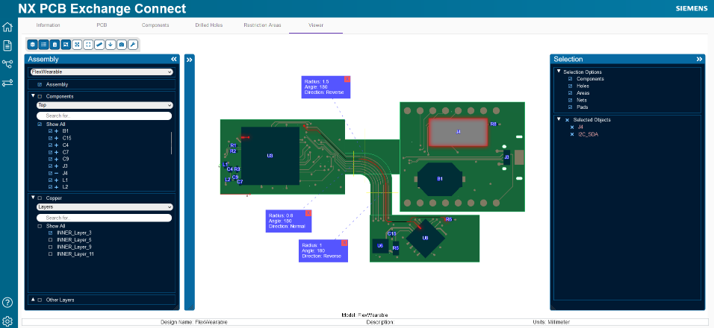
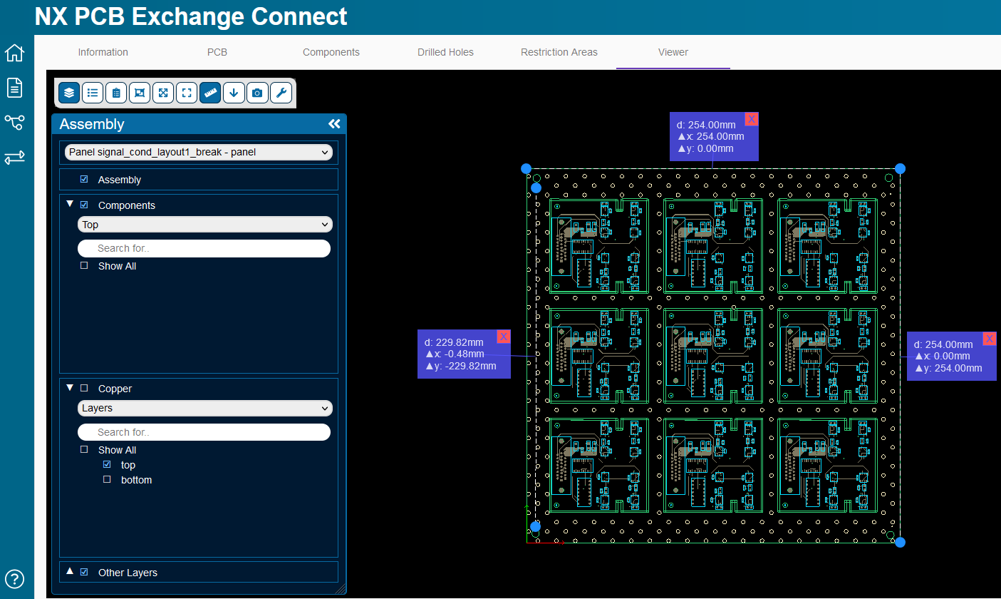
Validate PCB design state
Validate the different milestones of your PCB design cycle and find issues earlier to make better decisions, faster.
Easily access component and PCB attributes in custom BOM views, drill drawings and restriction maps with interactive grids. No CAD experience is required to access the PCB to review the BOM, component placement, or signal traces.
Gain a 2D visualization of all PCB layers from top or bottom side:
- Signal layers
- Components and areas
- Soldermask, silkscreen, generic shapes
Plus, you can capture issues with measurements and mark-up capabilities.
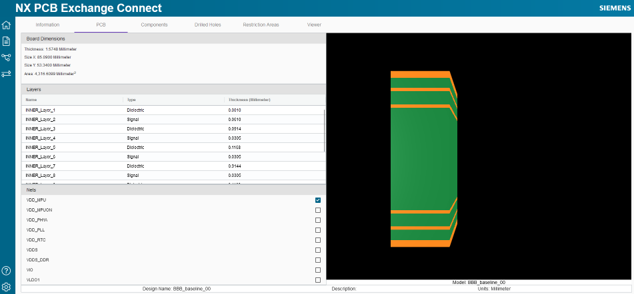
Key PCB parameters for NX import
Get your import right the first time, with the information and fidelity level you really need.
Validate content coming from ECAD by previewing the data before import.
Optimize import performance and facilitate the setup of your import preferences:
- Filter certain types of holes, nets or components
- Use component mapping based on ECAD nomenclature
- Create simplified representations for trace and pads
Visualize additional information or attributes at any time, and work with any PCB fidelity level in your CAD tool.
PCB design change management
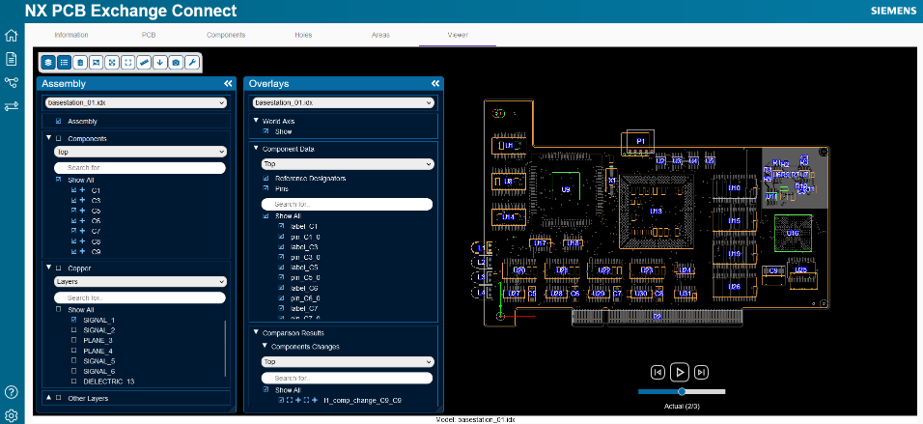
Take a faster and more integrated design approach and understand differences between design iterations or multiple revisions with PCB Exchange Connect.
Seamlessly navigate between comparison reports and the viewer to review and verify product design changes.
Visualize attribute differences in interactive reports and view a 2D animation of the design state to make comparisons easy:
- Board name, number, area, height, and owner
- Holes and their types
- Restriction areas
- Components
Design history and collaboration metrics
Democratize design change communication between engineering disciplines, and extract key metrics to identify poor collaboration areas.
Review the PCB design history to make more educated design changes and improve collaboration.
- Create custom design history tables to highlight important metrics such as number of design exchanges, time spent, or frequent component changes
- Locate and reference specific changes and visualize them graphically
- Take advantage of integrated 2D animation capabilities

Frequently Asked Questions
How does PCB Exchange Connect improve PCB design collaboration across ECAD/MCAD teams?
PCB Exchange Connect enables engineers working in both ECAD and MCAD domains to visualize, compare and validate printed circuit board designs in a unified web interface. It supports exchange formats and allows non-CAD users to access board data, review BOMs and mark-up changes—helping reduce the design cycle by about 25%.
What key capabilities does PCB Exchange Connect provide for revision comparison and design history tracking?
With PCB Exchange Connect you can load two design revisions and view side-by-side comparisons of board layers, holes, components, restriction zones and attributes. It also delivers animated design history, interactive tables of collaboration metrics (e.g., number of design exchanges or component changes), helping you identify bottlenecks or errors early.
What file formats and board design data are supported by PCB Exchange Connect for import and review?
PCB Exchange Connect accepts industry standard PCB manufacturing and exchange formats (e.g., IDX, ODB++), and allows visualization of signal layers, soldermask, silkscreen, components and boards from either ECAD/MCAD or panel data. The 2D viewer supports both top and bottom board views and enables measurement and annotation.